Drop supplier invoices into one folder. Invoxl reads them, checks the GST and totals, and writes everything into a neat Excel file for each day. No typing.
Your first 50 invoices are free. No sign-up, no card: install and start. If your browser warns about the download, choose "Download suspicious file"; see why.
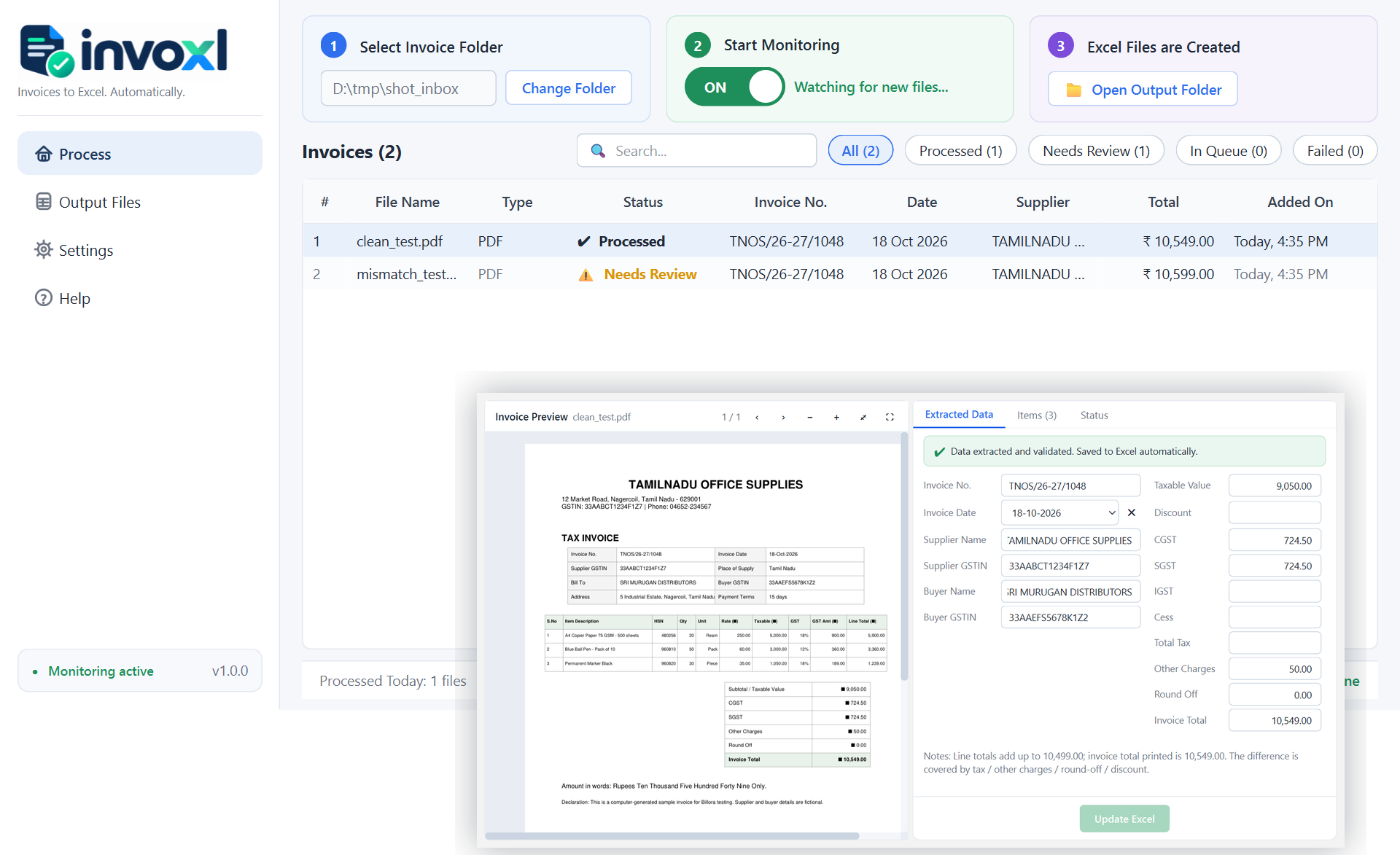
Pick any folder on your PC. Save or drop invoices there: PDF, photos, scans or ZIP files.
Supplier, GSTIN, date, every line item, CGST, SGST, IGST, cess and the total. English and Tamil.
One Excel file per invoice date with an Invoices sheet and an Items sheet. Anything doubtful is shown to you first.
No subscription. Buy invoices when you need them; they never expire. One purchase works on up to 3 PCs.
Every invoice Invoxl reads counts, reviewed or not. Nothing is charged for failed reads. Buying is done from inside the app, or here with your licence key.
No. Invoxl copies what is printed. If the totals do not add up, it tells you and lets you decide.
Your files and the Excel output stay on your computer. Only the invoice content is sent to the Invoxl service for reading, over an encrypted connection, and is not stored there.
GST tax invoices, bills of supply, cash bills, hotel folios, in English or Tamil. Clear phone photos are fine.
Yes, to read invoices. If the connection drops, invoices wait in the queue and continue on their own.
Chrome may say "isn't commonly downloaded" and Windows "unrecognised app". Both appear for every new, unsigned program, not because anything is wrong with the file. In Chrome choose Download suspicious file; in Windows click More info, then Run anyway. Our publisher certificate is in progress and will remove these prompts.
The first 50 invoices are free. After that you buy invoices in packs, from ₹499 for 300, by UPI or card from inside the app. No subscription, credits never expire. See pricing.
Email support@invoxl.in for a demo or help. We reply within one working day.